AI works with your data — within your permissions
Ask the assistant in the Eyeward panel, or connect Claude Code or another MCP client with a token. Both reach your data through your roles and permissions — there is no second path. The assistant also searches the web, remembers your rules and runs on a schedule, and brings changes and messages as cards for you to approve.
Ask the assistant in the Eyeward panel, or connect Claude Code or another MCP client with a token. Both reach your data through your roles and permissions — there is no second path.
Fifty tools for the assistant, thirty-nine for an external agent. None of them deletes a record.
Assistant
Talver-Agro orders in production
Which Talver-Agro orders are in production right now? Which one is due first?
Asked in “Think” mode- Reasoning 3.1s
- Reading “Orders” fields 0.2s
- Filtering “Orders” records 0.4s
Two Talver-Agro orders are in production:
- ЗАК-0042 “Pumping station NS-40” — 128,400.00 Br, due Sep 18, 2026, flagged urgent;
- ЗАК-0050 “Hydraulics for a grain dryer” — 141,800.00 Br, due Oct 16, 2026.
ЗАК-0042 is due first.
How many orders are in each status, and for how much? Show it as a chart.
Asked in “Think deeper” mode- Plan
- Find the “Status” field key in the “Orders” schema
- Count orders and sum amounts by status
- Check the total against the overall sum and draw a chart
- Reading “Orders” fields 0.2s
- Counting “Orders” by “Status” 0.3s
- Check passed 2.9s
10 orders in total, worth 1,050,850.00 Br. Most of the money is in “In production”: 3 orders, 575,700.00 Br.
Move the delivery date of ЗАК-0050 to Oct 23, 2026.
Asked in “Don’t think” mode- Opening record ЗАК-0050 0.2s
- Updating record ЗАК-0050 0.3s
I’ve prepared the date change for ЗАК-0050. It is saved when you click Apply — under your name, with a new version of the record.
Search the web for how to winterize a pumping station.
Asked in “Think” mode- Reasoning 1.2s
- Searching the web: winterizing a pumping station 2.1s
- Opened 2 pages 3.4s
In short, from the two guides in the results:
- Drain the pump, the pipes and the pressure tank — freezing water cracks the casing.
- Flush and dry the wet end, and pack the bearings with preservation grease.
- Disconnect the motor and cover it against moisture.
- Turn the shaft by hand once a month so the seals don’t seize.
Links to both pages are in the web search step. Check against your station’s manual: manufacturers may have their own requirements.
Check this invoice against order ЗАК-0042 — does it all match?
- Invoice 1187.pdf 184 KB
- Reasoning 2.2s
- Opening record ЗАК-0042 0.2s
The item and the amount match: “Pumping station NS-40”, 128,400.00 Br.
One difference: order ЗАК-0042 has a 5% discount, and the invoice doesn’t. If the discount is already in the price, it’s fine; if not, the invoice should be reissued.
Where do I turn on web search for the assistant?
Asked in “Don’t think” mode- Showing: Where web search is turned on 0.1s
I opened Settings → Agents, the My models tab, and highlighted your connection. Web search is the “Web search” checkbox — it works together with “Data access”.
Tell the Production chat that ЗАК-0050 has moved to Oct 23, 2026.
Asked in “Don’t think” mode- Drafting a message to “Production” 0.2s
It goes out immediately and cannot be recalled — check the recipient and the text.
The message is ready. It goes to Production when you click Send.
Every Monday at 9:00, send me the orders due for delivery in the next two weeks.
Asked in “Think” mode- Reasoning 1.8s
- Drafting the scheduled task “Deadlines for the next two weeks” 0.2s
After you click Apply, the task shows up in Settings → Agents → Schedule. The first run is on 28.09.2026 at 09:00, and the answer arrives in a new conversation.
Remember: show me amounts without the cents.
Asked in “Don’t think” mode- Remembering “Amounts — no cents” 0.1s
Got it. The note is in Settings → Agents → Memory — you can edit or delete it there.
How much are the Talver-Agro orders in progress worth?
Asked in “Don’t think” mode- Filtering “Orders” records 0.4s
3 orders, 356,400 Br in total:
- ЗАК-0042 — 128,400 Br
- ЗАК-0043 — 86,200 Br
- ЗАК-0050 — 141,800 Br
The assistant and the agent take the same road you do
Neither the assistant nor an external agent touches the database directly. Every tool call is a request to the same REST routes your browser uses: the assistant goes under your session, the agent with a token on your behalf. Permissions, rules and versions apply on their own, because it is the same code, not a copy of it.
Trace a request
The browser session goes straight to the REST routes. Then role permissions, module rules, the data and the traces: versions, activity, search, live updates for colleagues.The assistant brings the edit as a “before → after” card. Once you press Apply, the tool calls the same REST route inside the server with the asker’s cookie — then role permissions, rules and the same traces as an edit from the form.A read-and-write token: the request arrives at POST /mcp, the scope check lets PUT /api/records/:id through — and from there it’s the same road and the same traces as a person’s.The road ends at POST /mcp: a read-only token doesn’t get update_record registered. The agent never sees that tool and can’t call it.
What each part means — 8 notes
- Assistant. A panel in the browser; the model runs on your key. A tool calls the route inside the server with the asker’s cookie: the assistant has no service account.
- AI agent. Claude Code or any other MCP client. Every request carries a token: Authorization: Bearer eyw_mcp_…
- POST /mcp. Streamable HTTP without sessions: one request, one response. The tool set is built for the token on every request. Browser sessions are not accepted here, so another website can’t act on your behalf.
- Scope check. A closed list of “method + path” pairs. A read-only token can reach six read routes; a read-write token, three more. Everything else is refused.
- REST routes. The same handlers the browser uses. Tools call them inside the server — there is no second copy of the logic.
- Role permissions. Access levels 1–100, operations, field exceptions, “only my own” conditions. Neither the assistant nor the agent gets a byte more than its owner.
- Module rules. Derived values, status transitions, drafts in modules that require approval. For assistant and agent writes the server computes them, since neither has a form.
- Data and traces. Record versions, the activity log, the search index and live updates for colleagues — just like an edit made in the app.
Fifty tools — and not one that deletes a record
The assistant and an external MCP agent share one set: a conversation inside the platform and Claude Code outside it work through the same tools. None of them deletes a record — deleting a record in Eyeward is permanent, and that decision stays with a person.
The assistant and an external MCP agent share one set. Deleting a record in Eyeward is permanent — that decision stays with a person.
| Area | Tools | Qty |
|---|---|---|
| Module records | whoamilist_ | 14 |
| History and versions | list_ | 4 |
| list_ | 4 | |
| Chat | list_ | 3 |
| Assignments, notifications, calendar | list_ | 6 |
| Files and documents | search_ | 6 |
| Charts | list_ | 2 |
| Companies and people | list_ | 2 |
| Knowledge base | search_ | 2 |
| Support | list_ | 4 |
| Scheduled runs | list_ | 3 |
Why 11 tools are never handed to an agent
Eleven tools are never handed to an external client: sending mail and chat messages, opening and replying to a support ticket, the scheduled runs, bulk edits and bulk creation of records, importing a table from an attachment, and printing a document. One reason covers them all — these act outward or on many records at once, and an external client has nobody to confirm a card with.
What an external agent keeps
An external agent keeps 39 tools: 33 that read and 6 that write. A read-only token doesn’t get the writing ones at all — they aren’t even registered. Web search, draft editing, working on screen and with office documents never exist for it; access to memory is granted to a token separately.
Beyond the set — assistant only
All 8 sets
- 6 Memory Remember, correct, forget, read a topic, search its memory and past conversations.
- 2 Web search Find and open a page — within the allowed addresses.
- 1 Draft editing Rewrite the text right inside a message or an email box.
- 2 Working on screen Open a page and highlight a block; set a filter on the list, board, Gantt chart or calendar.
- 3 Client conversations Find and read a messenger conversation; a reply to a client goes out only as a card.
- 4 Office documents Read, create, edit as a new version and convert a document, spreadsheet or presentation.
- 4 Tidying files Create a folder, move, rename; moving to trash is always a card.
- 2 The open document Read the document in the editor and prepare an edit you apply yourself.
The assistant sits in a panel next to your data, on your key
The assistant opens beside whatever is on your screen and answers from your modules, mail, files and chat. No language model runs on the platform’s own server: you create a connection in settings: provider, key, the list of models — and what this connection is allowed to do. The key is encrypted and never handed back, not in full and not as a tail: the interface only ever learns that a key exists. Besides the providers below you can connect Gemini and OpenRouter, and a connection can be shared with your company or a colleague — with a token cap per person.
The assistant opens beside whatever is on your screen and answers from your modules, mail, files and chat. No language model runs on the platform’s own server: you create a connection in settings: provider, key, the list of models — and what this connection is allowed to do.
Runs on The provider’s cloud
- Key
- sk-·········· · saved
- Models
- 3 in the set, the first one by default
- API address
- provider default
- Permissions
- Read and write · edits need confirmation
A compatible gateway connects here too — just put your own API address under “Advanced”.
Runs on The provider’s cloud
- Key
- sk-ant-·········· · saved
- Models
- 2 in the set
- API address
- provider default
- Permissions
- Read only
Claude is asked to think with a token budget: “Think deeper” gives it four times the usual one.
Runs on Your own machine, on your network
- Key
- not needed
- Models
- read from the machine itself
- API address
- http://192.168.…:11434
- Permissions
- Read and write · edits need confirmation
No key at all: the conversation never leaves your network. Reaching a private address is something the installation’s administrator allows — by default it is closed.
Runs on Ollama’s cloud
- Key
- ·········· · saved
- Models
- read from the cloud
- API address
- ollama.com
- Permissions
- Read and write · edits need confirmation
The same key also powers the assistant’s web search — there’s no separate key to set up for it.
Key, models, limit and usage
The key is encrypted and never handed back, not in full and not as a tail: the interface only ever learns that a key exists. Besides the providers below you can connect Gemini and OpenRouter, and a connection can be shared with your company or a colleague — with a token cap per person.
-
One connection, a set of models
The key, the permissions and the limit are shared across the set, and the model is picked right in the input box, mid-conversation. You don’t need three connections for three model names.
-
Your own spending limit
A connection can cap tokens over a rolling window — a day, 30 days or all time. A turn is refused before the question even reaches the conversation, and the remainder is checked between rounds: a turn with tools calls the model up to eight times.
-
The provider does the counting
Only what the provider itself reported is shown. A turn it stayed silent about is marked as such — we don’t draw an understated total. No provider hands out an account balance over the API, so “left” means what’s left of your limit, not of your money.
-
A usage card
Totals, a daily stack and a split by model over 7, 30 or 90 days. The day is counted in your own time zone.
The assistant changes data only after you press Apply
It reads whatever is open to you and nothing beyond it: the assistant has no service account, and there is no talking your way around a role. It changes things only if the connection has write access, and every time through you: a record edit, an email or a chat message arrives as a card, and your click is what carries it out.
It reads whatever is open to you and nothing beyond it: the assistant has no service account, and there is no talking your way around a role. It changes things only if the connection has write access.
Outward only through you; roles, hidden fields, versions
Outward only through you
The assistant never sends an email or a chat message on its own: it shows you the text, and you press Send. The same goes for pointing at things in the interface — it walks you to the button, it doesn’t press it.
What that means in practice
- A module closed to your role is one the assistant cannot find: it isn’t in the list of modules at all.
- A field hidden from you won’t arrive in any reply — not in a query, not in a whole record.
- “Not found” and “hidden by your role” answer identically: the reply never reveals that a record exists.
- An edit is saved under your name and shows up in the record’s versions — like any edit made from the form.
Write access isn’t a refusal, it’s an absence
On a connection without write access, the writing tools never make it into the list. The model isn’t “refused” — it simply doesn’t know such tools exist. A visible tool that always refuses is a wasted round and a worse answer.
An edit is shown before it happens
The assistant never changes a record quietly: it builds a “before → after” card. The write happens the moment you press Apply, and it goes the same way an edit from the form does — with every rule, version and check. If the record changed in the meantime, the card says plainly that the “before” side is out of date.
A read-only connection never produces a confirmation card: there is nothing to confirm, and the set holds no writing tools.
Proposed edit
Orders · ЗАК-0050
Delivery date
The edit runs under your name and lands in the record’s versions.
Outward only through you
The assistant never sends an email or a chat message on its own: it shows you the text, and you press Send. The same goes for pointing at things in the interface — it walks you to the button, it doesn’t press it.
Constructor mode: describe your business, get a system project
In this mode the assistant stops answering questions about data and configures the platform itself. It assembles a new system as a project — a draft that touches nothing until you press Deploy. What already runs it changes through single cards with a preview on your own records. The mode is available to the company owner or to an employee whose role allows it.
In this mode the assistant stops answering questions about data and configures the platform itself. It assembles a new system as a project — a draft that touches nothing until you press Deploy. The mode is available to the company owner or to an employee whose role allows it.
The project path
-
Draft revision 0
Description
“Set up tracking for a car service…” If the answer shapes the system, the assistant asks first — only a few questions. For common cases it has patterns: sales, manufacturing, inventory, service, projects, HR.
- “Set up tracking for a car service: clients, vehicles, work orders with labor and parts, payments. A mechanic sees only their own work orders and never the discount.”
- Revision 0 Project started
-
Draft revisions 1–3
Project
Modules with fields, relations with inheritance, statuses and transitions, formulas and rollups, record buttons, views, documents, charts, a workspace, roles and task automations. The project screen shows the schema, highlights each change and keeps revisions you can return to.
- Revision 1 6 modules, 28 fields
- Revision 2 6 relations, statuses and 2 transitions
- Revision 3 Kanban and Gantt, a document, a chart, a workspace, a role, a build
-
Draft revision 4
Check
The project is checked by the same machinery as manual setup: a typo in a formula or a document template is named in plain words, with its place, before deployment.
- {rat}: no such field. Module fields: title, hours, rate, cost, start, finish modules.works.fields.cost.formula
- Revision 4 Changed: Field Cost · Labor — = {hours} * {rate}
- No problems
-
Deployed revision 4
Deploy
One button installs everything at once. If a step fails, what was done is rolled back. A project can build on modules you already have: Clients gets new fields and relations instead of a second module.
- installing modules → charts → workspace → build → roles
- Deployed 14:32 — revision 4 6 modules in use
-
Deploy undone 7 days
Undo
For seven days the card keeps an Undo button — as long as the new modules hold no records and the setup hasn’t been changed. Undo removes what was installed and leaves other people’s work alone.
- Can be undone until Oct 17, 2026
- Deploy of revision 4 undone 14:47 You can edit and deploy the project again.
While the project is a draft, you see all of it
The project screen opens next to the chat: the schema of modules and relations, the contents by tab, problems and history. Every edit the assistant makes is a new revision, and what changed stays highlighted for a few seconds.
Ask the assistant and watch the schema
How to go back to a revision
On the History tab, open a revision and press “Go back to this revision”: the schema returns, and going back becomes a new revision — which you can undo as well.
Car service
Schema
No modules yet The assistant adds them as you talk — the schema grows right here.
- link
- *required
- ⇣Ninherits fields
Relations · 6
No relations between modules yet.
- Clients Vehicles
- Clients Work orders
- Vehicles Work orders
- Work orders Labor
- Work orders Parts
- Work orders Payments
- Suppliers Parts
Modules
No modules yet The assistant adds them as you talk — the schema grows right here.
Clients
- Title every module has it
- Phone Phone required
- How they found us Select
- Note Text
Vehicles
- Title every module has it
- Make Text required
- Model Text
- VIN Text
- Year Number
- Mileage Number
Work orders
- Title every module has it
- Status Status New · initialIn progressReadyHanded over
- Received Date required
- Mechanic Employee
- Client phone Phone
- VIN Text
- Discount Percent
- Labor total Rollup Sums “Cost” across “Labor” records
- Parts total Rollup Sums “Amount” across “Parts” records
- Total Currency = ({works_total} + {parts_total}) * (1 - {discount} / 100)
- Paid Rollup Sums “Amount” across “Payments” records
Status transitions
NewIn progress — “Mechanic” is filled in
ReadyHanded over — “Paid” ≥ “Total”
Views: Kanban by “Status”
Code template: WO-{YYYY}-{#####}
Labor
- Title every module has it
- Hours Number
- Rate Currency
- Cost Currency = {hours} * {rate}
- Start Date
- Finish Date
Views: Gantt: “Start” — “Finish”
Parts
- Title every module has it
- Qty Number
- Price Currency
- Amount Currency = {qty} * {price}
Payments
- Title every module has it
- Date Date required
- Amount Currency required
- Method Select
Suppliers
- Title every module has it
- Phone Phone
- Lead time, days Number
Documents & charts
Documents
Work orderdocx · per record · Module “Work orders”
The project has no document templates.
Charts
Revenue by monthSum of “Amount” by “Date” · Module “Payments”
The project has no charts.
Workspace
Service5 blocks: module shortcuts, numbers, charts
The project has no workspace.
Build
Car serviceIt will contain the project’s modules.
The project has no build.
Roles & automations
Roles
No roles in the project — after deploy, access to the modules follows the company’s current settings.
Mechanic
| Module | Access |
|---|---|
| Work orders | View, Edit |
| Labor | View, Create, Edit |
| Parts | View, Create, Edit |
| Clients | View |
| Vehicles | View |
Own records only: “Mechanic” = the current employee (applies to view, edit)
“Work orders”: hidden fields “Discount”
Sees the project’s workspace and charts
Problems
No problems
The project passes the check and can be deployed. Ask the assistant to prepare the deploy.
History
Every edit is a new revision. You can go back to any of the last 50 — going back is a revision too, so it can be undone.
- Added: View Kanban · Work orders
- Added: View Gantt · Labor
- Added: Code template · Work orders
- Added: Document Work order
- Added: Chart Revenue by month
- Added: Workspace Service
- Added: Role Mechanic
- Added: Build Car service
- Added: Relation Clients → Vehicles
- Added: Relation Clients → Work orders
- Added: Relation Vehicles → Work orders
- Added: Relation Work orders → Labor
- Added: Relation Work orders → Parts
- Added: Relation Work orders → Payments
- Added: Transition New → In progress · Work orders
- Added: Transition Ready → Handed over · Work orders
- Added: Module Clients
- Added: Module Vehicles
- Added: Module Work orders
- Added: Module Labor
- Added: Module Parts
- Added: Module Payments
Nothing changed in this revision.
What already runs changes through single cards
Ten kinds of setup, ten cards. Before you press Apply, each one shows what will change on your own records, and an applied card keeps Undo for seven days. Pick a row to open its card — its buttons work.
Modules and fields
In the card: Fields by tab and section, statuses with colors, views
Company: Gidrovelm
“Title” field: “Subject”
Main
-
Received on Date required received
-
Reason Select reason
DefectMissing itemsLate delivery
-
Status Status status
NewIn progressClosed
-
Refund amount Currency refund
Resolution
-
Resolution Textarea resolution
Views: ListKanban · Status
Open in module settings
Delete the created module? If it already has records, undo won’t run.
Rules and formulas
In the card: A run over recent records: “now → after”, and which saves the rule would block
When: Status ≠ “Draft”
Amount due = round(Order amount * (1 - Discount / 100), 2)
Checked on records: applies to 4 of 5
| Record | Amount due | Result |
|---|---|---|
| ЗАК-0042 Pumping station NS-40 | 128,400 121,980 | Amount due: filled in |
| ЗАК-0047 Press P-160 upgrade | 305,500 284,115 | Amount due: filled in |
| ЗАК-0045 Oil station MS-250 | 214,000 207,580 | Amount due: filled in |
| ЗАК-0044 Hydraulic repair kits | 21,750 19,575 | Amount due: filled in |
| ЗАК-0046 Directional valves, batch 2 | 47,600 | doesn’t apply |
Open in module settings
Return the module settings to the version before this change? If they were changed after the assistant, undo won’t run.
Relations and linking logic
In the card: How many records a required relation affects, which fields are inherited
Clientsparent Orderschild
Required One-way
Field “Linked to” in “Orders”related-to-clients
Required no yes
Inherited fields
-
New inheritance: City Delivery city city · new field Copy
The value is copied into the child record once, when it gets linked
-
Manager Manager manager Live
The value always comes from the parent
“Orders” records: 10Linked to parents: 9
Child records without a parent: 1 — with a required relation they can’t be saved until a parent is picked.
Open module relations
Return the relation to its state before applying (delete a created one together with its «Linked to» field)? If the relation or module was changed afterwards or records are already linked, nothing will be undone.
Views and saved filters
In the card: List rows, counts per board column, how many records land on the Gantt chart or calendar
Modules: Orders
Listnew
- Columns
- Client, Status, Due date
- Sort
- Due date
First rows: 3 of 10
| Record | Client | Status | Due date |
|---|---|---|---|
| ЗАК-0045 | Olvata-Energo | Ready to ship | Aug 29, 2026 |
| ЗАК-0051 | Orvista-Trans | Ready to ship | Sep 5, 2026 |
| ЗАК-0042 | Talver-Agro | In production | Sep 18, 2026 |
Kanbannew
- Columns by field
- Status
- Card fields
- Client, Order amount
Records by “Status” — 10 in total
Draft 1Confirmed 2In production 3Ready to ship 2Shipped 2
Gantt chartnew
- Start
- Work start
- End
- Planned finish
- Rows by field
- Shop
On the timeline: 9 of 10
Missing “Work start” or “Planned finish”: 1 — they won't appear on the timeline.
Open view
Return the view to its state before applying (delete a created one)? If it was changed or filters and calendar links were added, nothing will be undone.
Status transitions
In the card: Record counts per status, unreachable statuses and dead ends
Orders · field “Status” · records: 10
- Draft 1 new
- Confirmed 2 auto
- In production 3 auto
- Ready to ship 2 by hand
- Shipped 2
Transitions
-
Draft Confirmed New
when a record is saved, if Order amount is filled in
-
Confirmed In production
when a “Production” record is created
-
In production Ready to ship
when a record is saved, if Unfinished stages = 0
From “Ready to ship” automation leads nowhere further.
Automation never leads to “Shipped” — only by hand.
On the next save the status changes for 1 of 10 recent records:
Draft Confirmed × 1
Conditions with a rollup over related records aren’t counted in this run.
Open status transitions
Return the status transitions to the version before applying? If the module settings were changed afterwards, nothing will be undone.
Record code templates
In the card: Sample codes built from your records
Code template of “Orders”
ЗАК-{####} ЗАК-{YYYY}-{#####}
by default — for every record
Examples on recent records
| Record | Code now | New code |
|---|---|---|
| Service maintenance, Q3 | ЗАК-0051 | ЗАК-2026-00001 |
| new record | — | ЗАК-2026-00001 |
Existing records keep their codes — the template applies to new ones.
Other templates of the module
СРЧ-{YYYY}-{###}if Urgent = “Yes”
Open code templates
Return the code template to its state before applying (delete a created one)? If the series has already issued numbers, nothing will be undone.
Record actions
In the card: A trial run on a real record: what it creates, updates and skips
Records from table rowsStages from line items
Button on record cards of “Orders”
- Creates in
- Production
- Relation
- Orders → Production
- Rows from
- Line items
- If the record already exists
- update from the mapping
Field mapping
- Title from column “Item” match key
- Quantity from column “Qty”
- Due from field “Due date”
Dry run on record “ЗАК-0042 Pumping station NS-40” — nothing is saved
creates: 2 · updates: 1 · unchanged: 1
-
Creates #1 Frame NS-40
-
Updates #2 Pump unit
Changes: Quantity
-
Creates #3 Control cabinet
-
Unchanged #4 Commissioning
Open module actions
Return the module’s record actions to the version before applying? Records created by the action stay.
Documents
In the card: A trial print on a record, warnings about empty fields
docxPer record
Modules:Orders
File name:Invoice {{ title }}.docx
Test print on record ЗАК-0042 Pumping station NS-40
- Invoice ЗАК-0042, Oct 10, 2026
- Bill to: Talver-Agro
- [table: 3 rows]
- Discount 5%. Amount due: 121,980.00 Br
- Сто двадцать одна тысяча девятьсот восемьдесят рублей 00 копеек
- Under contract no.
Longest table, rows: 3
| Item | Qty | Price | Amount |
|---|---|---|---|
| Frame NS-40 | 1 | 31,400.00 | 31,400.00 |
| Pump unit | 2 | 38,500.00 | 77,000.00 |
| Control cabinet | 1 | 20,000.00 | 20,000.00 |
Print warnings: 1
Paragraph 6: {{ contract_number }} — the field is empty on this record
Markup, lines: 14
Stays a draft: only template editors can print it until it is published.
Open document template
Return the document template to its state before applying (delete a created one)? If it was printed or changed, nothing will be undone.
Charts, workspaces, builds
In the card: The chart’s real numbers, the block grid, what the build contains
Module “Orders”Bar
- Value
- Sum of “Order amount”
- Breakdown
- Status
Stays a draft: workspaces and colleagues won’t see it until it’s published.
Open chart
Return the chart to its state before applying (delete a created one)? If it was changed or is already placed in a workspace, nothing will be undone.
Company “Gidrovelm”
New blocks go below the existing ones; those aren’t touched.
Workspace layout, blocks: 5
- Section Orders
- Module shortcut Orders
- Module shortcut Production
- Number cardnew In production, Br 575,700
- Chartnew Order amount by status
Chart “Order amount by status” is still a draft — it won’t show in the workspace until it’s published.
Only the draft changes — colleagues still see the previously published version.
Open workspace
Return the workspace to its state before applying (delete a created one)? If it was changed, nothing will be undone.
Company build “Gidrovelm” — every employee sees it
Modules
Added: OrdersAdded: ProductionAdded: Equipment
Comes in on its own — through the modules
- Documents
- Invoice
- Views
- Orders, Production
- Charts
- Order amount by status
Related to the build’s modules but not in it: Clients
Open build
Return the build to its state before applying (delete a created one)? If it was changed, nothing will be undone.
Roles and permissions
In the card: Who sees what: record counts before and after, any widening of access called out
Sales manager
Role of the company “Gidrovelm”
Access becomes wider — check the marked items below before applying.
Modules · 1
Orderswider
| Before | After | |
|---|---|---|
| Access | View and edit | View and edit |
| Level | 40 | 40 |
| Records | Only where Manager = you (view, edit) | All records |
| Visible to Marina Gulevich | 3 of 10 | 10 of 10 |
| Visible to Igor Savchuk | 2 of 10 | 10 of 10 |
Discount hiddenread-only
People with this role · 2
- Marina Gulevich
- Igor Savchukalso: Warehouse keeper
Some people have other roles as well — rights add up, so they may see more than this role gives.
Open role
Return the role to its state before applying (delete a created one)? If it was changed or already has people, nothing will be undone.
What the assistant does beyond answering
It remembers your rules, searches the web, rewrites text right in the box, points at the right place on the page, and asks a question by itself on a schedule. An external agent has none of this: all of it needs a person nearby.
It remembers what you’d rather not repeat
Memory is not the conversation log. The conversation keeps its own history; memory holds short notes about the long term: how you want answers written, what your company does, how your process works. The assistant writes them as the conversation goes, or when you say “remember this” — and you see the whole list, edit it and delete from it.
Memory is not the conversation log but short notes about the long term: how you want answers written, what your company does, how your process works. You see the whole list, edit it and delete from it.
-
Answer briefly, no preamble. Always state the currency with an amount.
-
Hydraulic equipment manufacturing, Grodno. Season runs March to October.
-
An order counts as urgent when delivery is under 14 days away and it carries the flag.
-
Order summaries as a table, not a list.
-
Asks on Mondays what’s tight for the week.
How memory is picked, and its limits
Why memory doesn’t grow into a wall of text
Not all of memory travels into the model’s prompt — only what bears on the question asked. A model that was read a hundred facts about you before the question answers worse, not better.
- Pinned Always travels. “Answer briefly” doesn’t belong to any one question — it belongs to all of them.
- By words Full-text search over memory: it catches what you named with the same words the note uses.
- By meaning Vector search — but only when the words found little. Computing meaning on every question, just to top up what was already found, would cost a second of waiting for nothing.
Boundaries
- Memory is per person: nobody else’s notes are mixed in or searched.
- Secrets from a conversation never reach memory — they are stripped on the way in.
- The number of notes is capped, duplicates are merged, and every change leaves a log line: who added it, who corrected it, what was deleted.
- All of memory can be cleared with one button.
It searches the web — but it doesn’t open just anything
You can let the assistant look outside. The main engine is Ollama’s search on the very key you already gave for cloud models; the fallback is a search engine running on this same server. There is no extra key to set up, and not one query goes to an outside search engine in your name without your permission.
Which addresses it opens, and the limits
It can only open what has already been named
The assistant won’t open any link it made up for itself. An address becomes allowed in three ways: you wrote it in this branch of the conversation, it came back from a search, or it was a link on a page already opened. That closes a simple trick: “open this address and tack the data on as a parameter”.
Limits and honesty
- Anything found or read is marked as outside text: the model knows it is neither your data nor an instruction to it.
- A local Ollama on your network and ordinary provider keys don’t enable search — it needs an Ollama Cloud key or a working fallback engine.
- By default, 300 searches and 300 page opens per person per day.
- Page text is trimmed before it reaches the model, and the page itself is fetched with protection against reaching into the internal network.
- If the main engine asks to wait, its key is paused and search goes through the fallback — instead of a refusal shown to you.
It works inside your interface, not instead of you
Three things the assistant does without words: it rewrites text right in the box, it points at the place on the page, and it reads whatever you attached to your question.
Rewrites the email right in the box
You’re writing an email or a chat message, you ask for “shorter” or “more formal” — and the new version lands in the box immediately. In this mode the assistant holds no writing tools at all: it cannot send, even if you ask it to. The draft itself travels to the model as data, not as instructions — because a forwarded email can easily contain the line “ignore your previous rules”.
- To
- zakaz@talver-agro.example
- Subject
- Delivery date for ЗАК-0050
Hello! I wanted to let you know that on order ЗАК-0050 we are unfortunately running a little behind, and delivery is slipping by roughly a week, to around October 23. Apologies for any inconvenience this may cause; if anything doesn’t work for you, do let us know.
Hello! Delivery on order ЗАК-0050 moves to October 23. Please confirm the new date works for you.
Hello! We are writing to confirm a change to order ЗАК-0050: delivery moves to October 23 owing to load on the assembly floor. Please confirm the new date; we are happy to discuss a partial shipment if that helps.
The assistant rewrote the draft
The draft you wrote yourself.
Hedging and repetition removed; the facts and the ask remain.
A business tone, with the reason and the next step named.
Pointing at the page, and attachments
It shows the place instead of describing the route
Asked “where is this turned on”, the assistant opens the right page and highlights the right block — the way a colleague sitting next to you would. It reads nothing, writes nothing and presses nothing while doing it: the address opens exactly what your role can open, and a closed page gives its usual refusal. No more than three of these per turn, or you stop following where you’re being taken. And if the block isn’t there, the assistant stays quiet instead of pointing at random: it may be missing because of permissions or because of how you set up your own menu.
It won’t offer to press the button and won’t press it itself: showing is not the same as doing. Changes go through the confirmation card.
It reads what you attached
A question can carry up to four files, up to 20 MB each: images, PDFs and text. A screenshot of an error, a document photographed on a phone, an export — the assistant reads all of it along with the question. An image is compressed once, on arrival, not before every answer.
You ask the question once, and it gets asked every day
A scheduled run is the same question you’d ask the assistant — except it asks itself: hourly, daily or on a chosen weekday. It has its own name, its own thinking mode and a separate permission to act without confirmation. The answer arrives as an ordinary conversation you can open and continue.
| Run | When | Mode | Actions |
|---|---|---|---|
| What’s tight this week | Mondays, 08:30 | Think | Reads only |
| Orders with no delivery date | Daily, 09:00 | No thinking | Reads only |
| Mail unanswered for over two days | Daily, 17:00 | Think | Reads only |
| Production summary | Hourly | No thinking | Prepares an edit for confirmation |
How it works: spend, time, events
-
The spend is yours
A background turn runs on the same key and inside the same limit as an ordinary conversation. A run that hits the limit waits for the window to open.
-
It won’t fire twice
The next due time moves before the run, not after: a turn with tools takes minutes, and the queue would otherwise pick the same run up for a second lap.
-
The time is yours
“Nine in the morning” means nine in the morning, not a moment in a database. The next due time is always strictly in the future — a schedule can’t loop on itself.
-
Not only by the clock
A run can fire on an event: a record created, a status or field changed, an email received, a client writing in a messenger, a task overdue. The assistant’s own edits don’t count as events — there is no loop.
-
On and off
A run can be paused without deleting it. The last run, the last error and the next due time are all in the list.
Acting without confirmation is a separate permission
By default a background run prepares an edit and leaves it as a card to confirm, exactly as in an ordinary conversation. Permission to act on its own is granted to a run separately and deliberately: at three in the morning there is nobody to confirm with.
An external agent: Claude Code or any MCP client
Eyeward is an MCP server. An agent connects with a token and works with your modules and records on your behalf, within your roles. It gets 39 of the 50 tools: sending mail and chat messages, support, scheduled runs, bulk edits, table imports and document printing stay with the assistant, because an external client has nobody to confirm them with. Six of the agent’s tools write; a read-only token gets none of those.
Eyeward is an MCP server. An agent connects with a token and works with your modules and records on your behalf, within your roles. It gets 39 of the 50 tools; six of them write, and a read-only token gets none of those.
An agent session on Gidrovelm data
The order an agent calls tools in
The order the server suggests to agents: list_modules → get_module_schema → query_records or search. Field keys come from the schema, not from labels. The rest of the agent’s tools are in the specification above, under “An external MCP agent”.
tools/list: 39 tools
The six writing tools aren’t in the list at all: the agent doesn’t know they exist and can’t call them.
The agent calls
whoami()The server replies
{
  "user": { "name": "<token owner>", … },
  "token_label": "Claude Code on my laptop",
  "mode": "read_write",
  "platform_url": "https://<your-eyeward-address>",
  "note": "Reading, creating and editing records are available — within this user’s role permissions. There is no delete."
}
{
"user": { "name": "<token owner>", … },
"token_label": "Claude Code on my laptop",
"mode": "read_only",
"platform_url": "https://<your-eyeward-address>",
"note": "Read-only token: creating and editing records is not available."
}The first call: the agent learns whose name it acts under and what it may do.
The agent calls
list_modules()The server replies
{
  "modules": [
    { "id": "MOD-01K2Q8…", "name": "Orders" },
    { "id": "MOD-01K2Q9…", "name": "Clients" },
    { "id": "MOD-01K2RB…", "name": "Production" }
  ]
}
Only modules open to the token owner’s roles. A module hidden by a role isn’t in the reply at all.
The agent calls
get_module_schema({ "module_id": "MOD-01K2Q8…" })The server replies
{
  "module": { "id": "MOD-01K2Q8…", "name": "Orders" },
  "fields": [
    {
      "key": "client",
      "label": "Client",
      "type": "relation",
      "format": "id of a record in the target module (as id from query_records)",
      "required": true,
      "target_module": "MOD-01K2Q9…"
    },
    {
      "key": "status",
      "label": "Status",
      "type": "status",
      "format": "value of one of the options",
      "options": [{ "value": "production", "label": "In production" }, …]
    },
    {
      "key": "due_date",
      "label": "Delivery date",
      "type": "date",
      "format": "string YYYY-MM-DD",
      "required": true
    },
    {
      "key": "amount",
      "label": "Amount",
      "type": "currency",
      "format": "number",
      "required": true
    },
    …
  ]
}
Field keys and value formats: the agent builds both queries and writes from them. Labels are for people, keys are for the agent.
The agent calls
query_records({
  "module_id": "MOD-01K2Q8…",
  "filters": [
    { "field": "client", "operator": "eq", "value": "Talver-Agro" },
    { "field": "status", "operator": "eq", "value": "production" }
  ],
  "sort_field": "due_date",
  "fields": ["title", "due_date", "amount"]
})
The server replies
{
  "total": 2,
  "page": 0,
  "page_size": 20,
  "has_more": false,
  "records": [
    {
      "id": "MOD-01K2Q8…:ЗАК-0042",
      "code": "ЗАК-0042",
      "data": { "title": "Pumping station NS-40", "due_date": "2026-09-18", "amount": 128400 }
    },
    {
      "id": "MOD-01K2Q8…:ЗАК-0050",
      "code": "ЗАК-0050",
      "data": { "title": "Hydraulics for a grain dryer", "due_date": "2026-10-16", "amount": 141800 }
    }
  ]
}
The same 12 operators as in list filters. fields trims the reply to the keys you need, so the agent’s context isn’t wasted.
The agent calls
get_record({ "record_id": "ЗАК-0042", "module_id": "MOD-01K2Q8…" })The server replies
{
  "id": "MOD-01K2Q8…:ЗАК-0042",
  "code": "ЗАК-0042",
  "module_id": "MOD-01K2Q8…",
  "url": "https://<your-eyeward-address>/Modules/MOD-01K2Q8…/Records/ЗАК-0042",
  "data": {
    "title": "Pumping station NS-40",
    "status": "production",
    "due_date": "2026-09-18",
    "amount": 128400,
    "discount": 5,
    "urgent": true,
    …
  },
  "created_by": "<record author>"
}
The whole record and a link to it in the app — the agent can hand it to a person. Works with the record code too.
The agent calls
search({ "query": "pumping station" })The server replies
{
  "groups": [
    {
      "module": { "id": "MOD-01K2Q8…", "name": "Orders" },
      "hits": [
        {
          "record_id": "MOD-01K2Q8…:ЗАК-0042",
          "title": "Pumping station NS-40",
          "url": "https://<your-eyeward-address>/Modules/MOD-01K2Q8…/Records/ЗАК-0042",
          "match": "field",
          "matched_field": "title"
        }
      ]
    }
  ]
}
Like the search bar: fields, comments, notes. With semantic search enabled, hits found by meaning are marked match: "semantic".
The agent calls
create_record({
  "module_id": "MOD-01K2Q8…",
  "data": { "title": "Hydraulic cylinders, batch 2", "client": "<id of the Talver-Agro record>" }
})
The server replies
{
  "id": "MOD-01K2Q8…:ЗАК-0052",
  "code": "ЗАК-0052",
  "url": "https://<your-eyeward-address>/Modules/MOD-01K2Q8…/Records/ЗАК-0052",
  "data": { "title": "Hydraulic cylinders, batch 2", "client": "<id of the Talver-Agro record>", … },
  "missing_required": ["Delivery date (due_date)", "Amount (amount)"]
}
The code ЗАК-0052 came from the module’s ID template — just like creating from the form. Required fields left empty show up in the reply, and the agent fills them in with update_record.
The agent calls
update_record({ "record_id": "ЗАК-0050", "module_id": "MOD-01K2Q8…", "data": { "due_date": "2026-10-23" } })The server replies
{
  "id": "MOD-01K2Q8…:ЗАК-0050",
  "url": "https://<your-eyeward-address>/Modules/MOD-01K2Q8…/Records/ЗАК-0050",
  "data": {
    "title": "Hydraulics for a grain dryer",
    "status": "production",
    "due_date": "2026-10-23",
    "amount": 141800,
    …
  }
}
Only the fields sent change; module rules and rollups recalculate on their own. The edit is saved under the token owner’s name and shows up in the record’s versions.
The token decides what the agent may do
Access is granted by a token with one of two scopes. It acts on behalf of its owner, within the owner’s roles — and on top of that, the scope cuts off everything an agent doesn’t need.
Settings › Agents
Token issued
The token string is shown once — it can’t be recovered later.
This is all the database keeps — a sha256 hash:
Access tokens 0 of 20
No tokens yet. Issue the first one and connect your agent client with it.
This is a mock-up: the string is generated at random right in your browser and never sent anywhere. The hash is the real sha256 of that string.
| Rule | How it works |
|---|---|
| Issuing | Only in the browser: Settings → Agents → “Issue a token”. An agent can’t issue itself a token — that route isn’t in its scope. |
| The string | Shown once. The database keeps only its sha256 hash — a lost token can’t be recovered, only replaced. |
| Prefix | eyw_mcp_ — if the string turns up in a log or someone else’s config, it’s obvious that agent access to records has leaked. |
| Revoking | “Revoke” cuts access immediately. Each token shows when it was last used. |
| Bans | Banning a user closes their tokens too. |
| Limit | Up to 20 active tokens per person — a list short enough to review by eye. |
| Deleting | No token can delete records. |
Connecting takes one command
Everything you need is on the Settings → Agents page: that’s where you issue a token and find the server address and a ready-made command for your agent client.
- Issue a token. Settings → Agents → “Issue a token”. Name it — say, “Claude Code on my laptop” — and pick “Read only” or “Read and write”.
- Copy the string right away. It is shown once and can’t be recovered later. The server address and the connect command are right next to it.
- Connect the client. Run the command in your agent client, or add the server to its JSON config.
- Check it. Ask the agent to call whoami — it replies with whose name it acts under and in which mode.
- Revoke it when you’re done. “Revoke” on the same page — access stops immediately.
Command
claude mcp add --transport http eyeward https://<your-eyeward-address>/mcp --header "Authorization: Bearer eyw_mcp_…"JSON config
{
  "mcpServers": {
    "eyeward": {
      "type": "http",
      "url": "https://<your-eyeward-address>/mcp",
      "headers": {
        "Authorization": "Bearer eyw_mcp_…"
      }
    }
  }
}Replace the placeholder with your installation’s address — the exact string is in Settings → Agents, “Server address”. Replace eyw_mcp_… with the token you were issued.
A token is access to your data. Don’t publish it or keep it in shared repositories; if it leaks, revoke it and issue a new one.
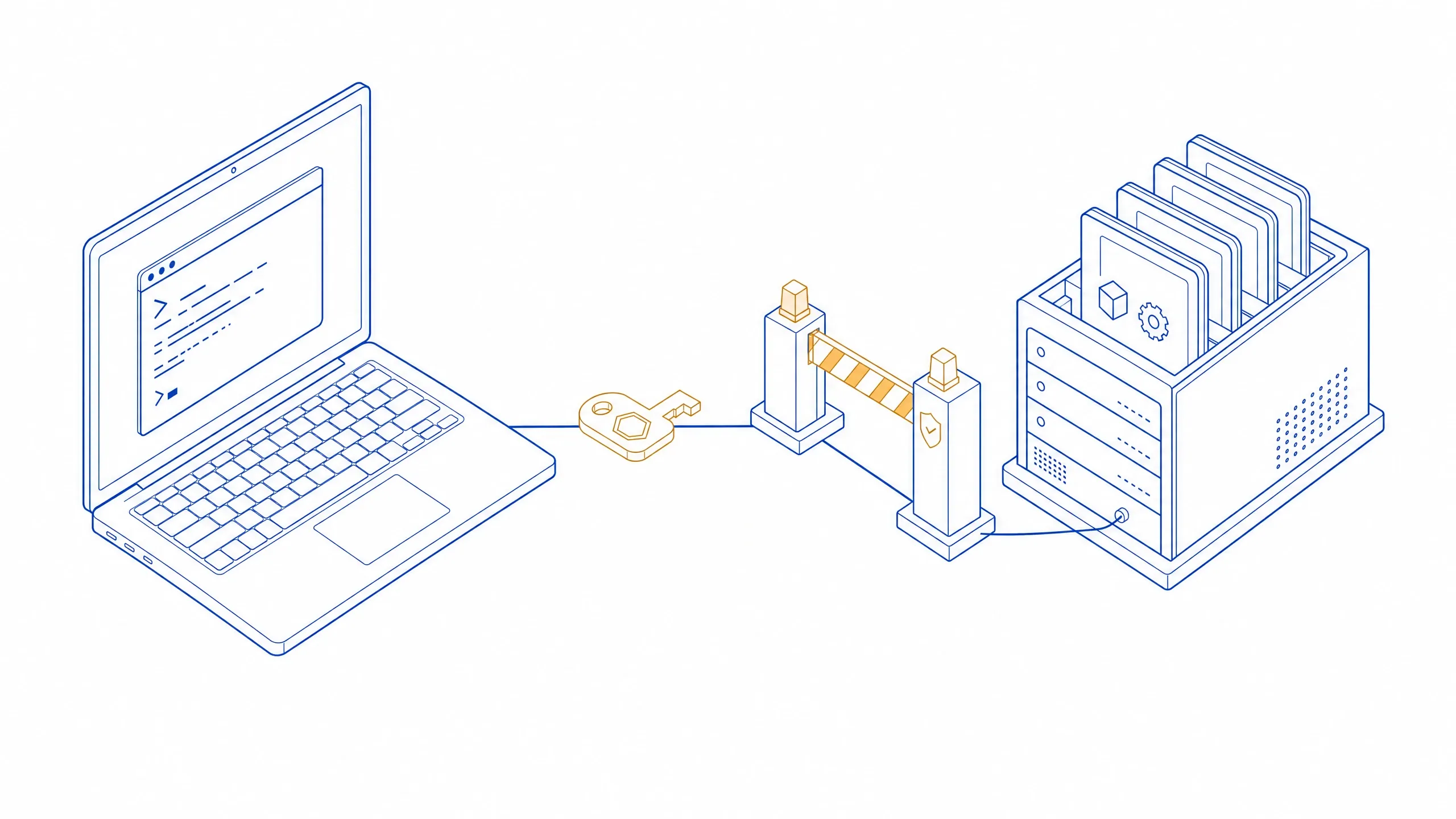
What AI won’t do
These limits aren’t fine print, they’re part of how it’s built. The assistant and the agent both know about them: instead of going quiet, the server explains what didn’t work and how to narrow the request.
And to be clear
And to be clear — 3 caveats
- A conversation with the assistant goes to the provider whose key you supplied, under that provider’s data-handling terms. Your own Ollama on your network doesn’t go anywhere at all.
- The quality of an answer is the quality of the model you chose. The platform is responsible for access to data and for showing you what will happen before it happens — not for how somebody else’s model reasons.
- The assistant is paid for by your key, not by your Eyeward plan.
| Limit | Applies to | What to do |
|---|---|---|
| No record can be deleted: not one tool deletes. A delete in Eyeward is permanent and takes linked data with it — that decision stays with a person. | Both | Delete in the app. |
| Setting up modules and fields, roles and permissions, granting access — all outside the tool set. | Both | A person does that in settings. |
| “Not found” may mean “hidden by your role” — the server answers the same on purpose. | Both | Check the owner’s roles. |
| Dates can’t be compared with “greater” and “less” conditions — only numbers can. A list is up to 100 records per page, a search query up to 200 characters. | Both | Sort by the date field; make the query shorter and sharper. |
| A record can’t be created in a module without an ID template — or if the template asks a person for values. | Both | Set up the module’s “ID generation”. |
| There is no model “included”. No language model runs on the platform’s server — you need your provider key or your own Ollama. | Assistant | Create a connection in settings. |
| It never sends or changes anything by itself: an email, a chat message and a record edit all wait for your confirmation. | Assistant | Read the card and press Apply. |
| A turn is capped: up to 8 tool calls, or 16 in “think deeper”. A single tool’s reply is trimmed at 40,000 characters. | Assistant | Split the task into two questions, or narrow the selection. |
| Only the spend the provider reported is shown; nobody knows the money left on your account. | Assistant | Set a token limit on the connection. |
| Sending mail and chat messages, support tickets and scheduled runs are never handed to an external agent. | Agent | The assistant does these — with your confirmation. |
| A tool reply is capped at 100,000 characters. | Agent | The agent gets a hint: take a smaller page or only the fields it needs. |
See AI work with data like yours
In the demo we’ll connect a model, ask the assistant a question about your process and issue a token to an agent — and show you where both stop and wait for you.